

For many people outside the cyber security industry, security signifies peace of mind. For those inside the industry, it often represents the exact opposite. Protecting information technology assets is a balancing act of vulnerabilities, threats, mitigations, security controls, and (as always) how m...
Secured Email Client Setup Instructions
Information Technologies | David Steele | Monday, June 1, 2015
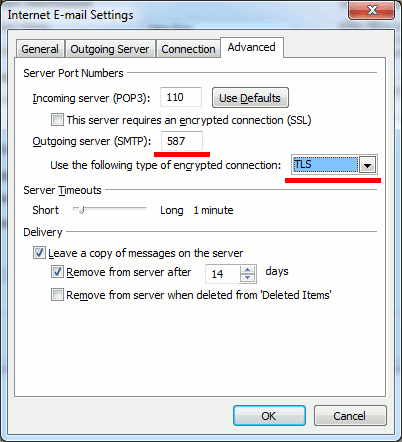
Enabling mail submission agent on a mail service node requires customers who use the node to adjust their mail client's settings. More specifically, they should change the port of the outgoing SMTP server to 587 and turn on the TLS encrypted connections. Here is an example of how your customers must configure the Microsoft Outlook mail client.
To configure Microsoft Outlook for working with MSA:
- Open Microsoft Office Outlook.
-
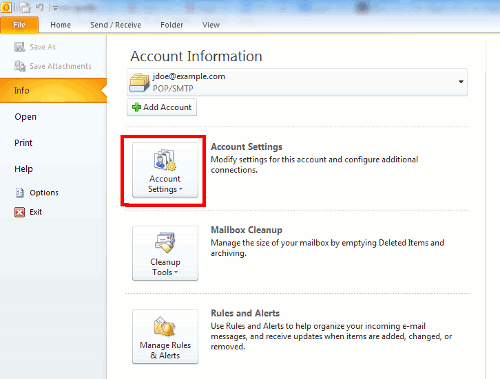
Go toFile > Info > Account Settings.
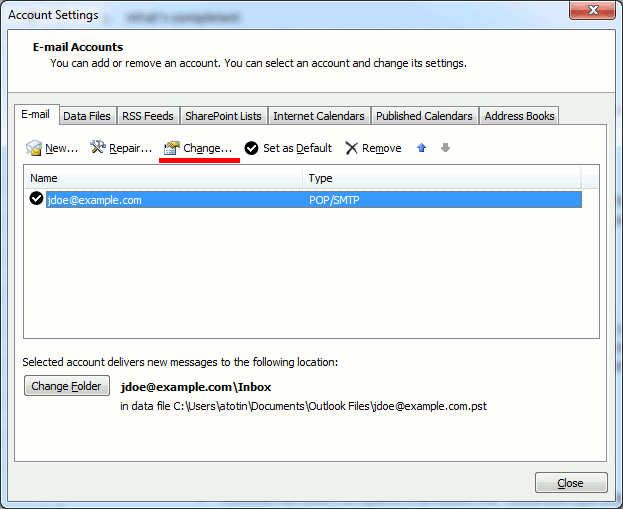
- Select your account and clickChange...
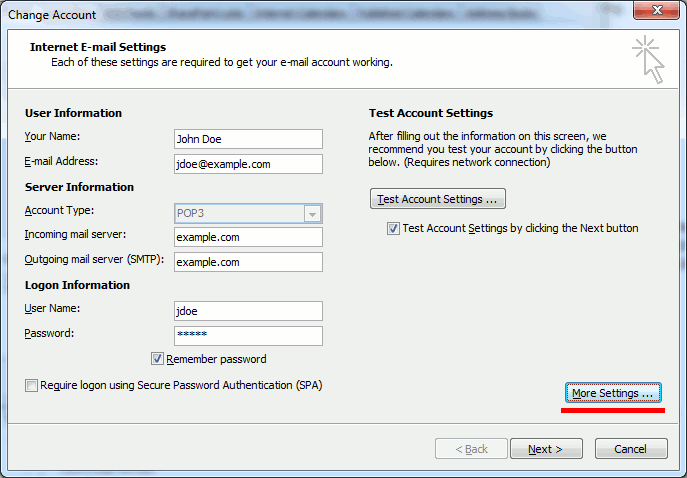
- Click More Settings ...
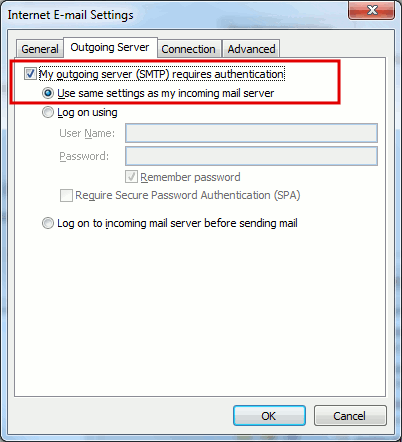
- Open the Outgoing Server tab and check My outgoing server (SMTP) requires authentication.
- Open the Advanced tab, and specify 587 for the Outgoing server (SMTP). In Use the following type of encrypted connection, set the TLS value.
- Click OK, click Next. If the connection test is finished successfully, click Finish.

ABOUT THE AUTHOR
David Steele is the co-founder of Intrada Technologies, a full-service web development and network management company launched in 2000. David is responsible for developing and managing client and vendor relationships with a focus on delivering quality service. In addition, he provides project management oversight on all security, compliancy, strategy, development and network services.
Learn MoreIntrada Technologies, Inc. has officially relocated from Williamsport to 31 Ashler Manor Drive in Muncy, PA. There was an open house and ribbon cutting with Families United Network and the Williamsport Lycoming Chamber of Commerce held on Thursday, June 25th to celebrate the move.Due to company grow...